Once you install and verify your Thesis license, you’ll be able to update to new versions of Thesis as they become available. This step-by-step guide will walk you through the process.
In This Guide
- Recommended Method
- Alternative Method
Don’t have Thesis? Download and install Thesis, then meet back here to continue installing Less.
Updating to a new version of Thesis
When a new version of Thesis becomes available, you should receive an update nag in the WordPress Admin and in your Thesis Home.
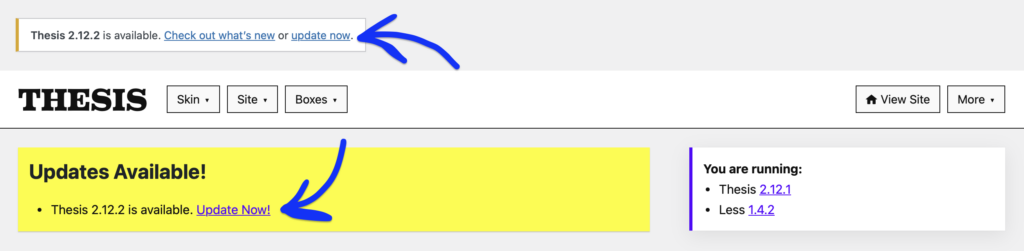
Press the Update Now link to install the Thesis update
However, if your WordPress installation has already checked for updates within the current 24-hour period, you may not see any update notifications.
Pro Tip: You can force a transient reset by re-saving your Thesis License Key, which will conduct another update check.
Once you are able to, press either of the Update Now links. Thesis will automatically uninstall the older version and install the newest version.
Updating Thesis using an FTP client
Pro Tip: This update method is intended for advanced users or those experiencing trouble when updating Thesis using our recommended update method.
The advanced installation involves updating Thesis using an FTP client and uploading the theme files to your server. To get started, download the latest Thesis theme file.
Note: After downloading the thesis.zip file to your computer, you need to unzip it to convert it into a regular folder.
For more information on how to zip and unzip files, check out these guides for Windows and Mac systems.
Once you’ve downloaded the Thesis theme file and converted it into a regular folder, connect to your server using your preferred FTP client.
Pro Tip: Always check your website host’s documentation for any specific steps they may give for using an FTP client to manage your website.
- Once connected, go to the
/wp-contentfolder and then enter the/themesdirectory. - Warning Upload the entire Thesis theme folder into the
/themesdirectory on your server. This will overwrite the existing Thesis theme folder. - If your site uses caching, you may need to clear it before any changes are reflected in WordPress.